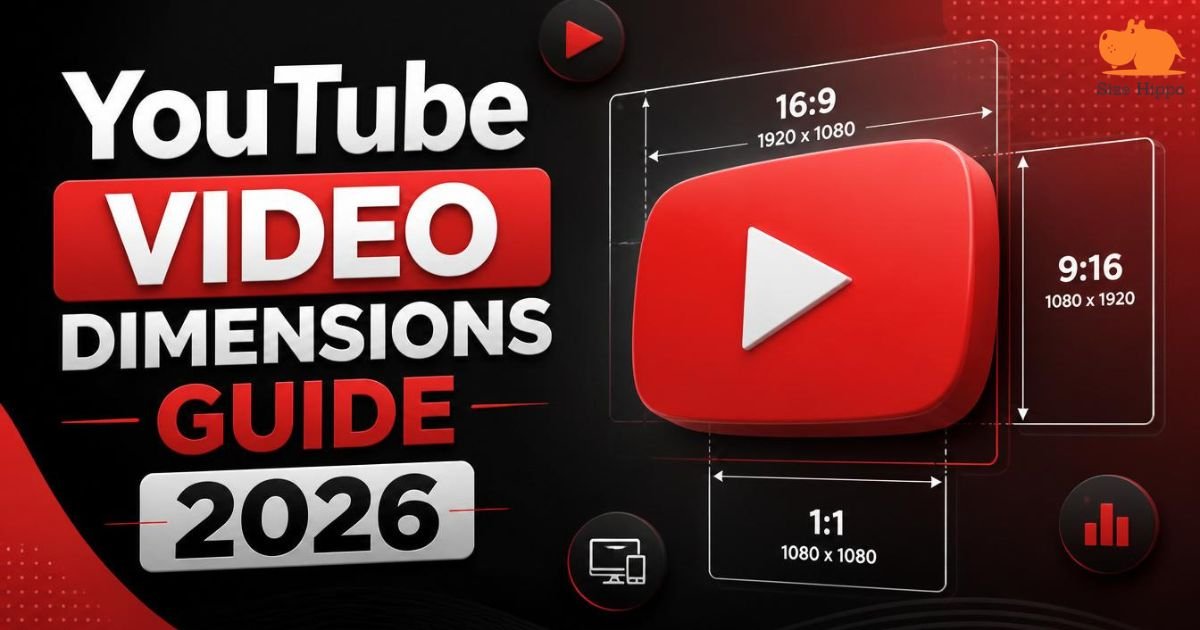
YouTube Video Dimensions Guide 2026: Best Size, Resolutions & Aspect Ratios
YouTube Video Dimensions play a critical role in how your content looks across every device your audience uses. Choosing the right size, resolution, and aspect ratio ensures your videos appear sharp, professional, and optimized across phones, tablets, desktops, and smart TVs. A mismatch in size or format can reduce quality and leave distracting black bars on the screen.
Understanding YouTube video resolution, YouTube aspect ratio, YouTube upload settings, and YouTube video format helps you avoid those problems while improving the viewing experience. We’ll cover everything you need to know, from ideal resolutions and aspect ratios to export settings and file limits, so you can publish polished videos that stand out and keep viewers engaged.
YouTube Video Size at a Glance (Quick Overview)
The fastest way to understand the platform is to compare the most common settings in one place. Every creator benefits from knowing the best YouTube video size, recommended YouTube dimensions, and ideal YouTube resolution before exporting a project.
It also matches common HD video dimensions used by affordable cameras and smartphones, the same 1920×1080 resolution found on a standard 24-inch monitor’s Full HD display. A simple reference also helps you avoid mistakes that reduce playback quality.
The table below highlights the most widely used resolutions and aspect ratios for creators who want excellent performance in 2026 while following the latest YouTube upload settings, YouTube video specifications, and YouTube size guide 2026 recommendations.
| Video Quality | Pixel Dimensions | Aspect Ratio | Best Use |
| 8K UHD | 7680 × 4320 | 16:9 | Premium cinematic production |
| 4K UHD | 3840 × 2160 | 16:9 | Professional creators |
| 1440p | 2560 × 1440 | 16:9 | Gaming and tutorials |
| 1080p Full HD | 1920 × 1080 | 16:9 | Most YouTube uploads |
| 720p HD | 1280 × 720 | 16:9 | Smaller projects |
| Shorts HD | 1080 × 1920 | 9:16 | Mobile-first videos |
Quick Reference Table for YouTube Video Dimensions, Resolutions, and Aspect Ratios
Choosing the correct layout is like wearing clothes that fit perfectly. Your content immediately looks cleaner and more polished. Most creators should stick with a 16:9 YouTube video for horizontal uploads and 9:16 YouTube Shorts for vertical clips. A 1:1 square video still works for some cross-platform campaigns, while a 4:3 YouTube video mainly suits vintage footage.
Recommended YouTube Upload Settings for 2026
Modern creators should upload videos in MP4 format with the H.264 codec and AAC audio codec because these settings balance quality and file size.
Using MP4 for YouTube, maintaining an appropriate YouTube frame rate, and selecting the correct video bitrate for YouTube help produce high quality YouTube uploads without unnecessary delays. For the full technical breakdown, YouTube’s own Help Center video specifications page is the definitive reference.
Best YouTube Video Dimensions and Resolutions
Resolution controls how many pixels appear in every frame. More pixels usually create a sharper picture, although they also increase storage needs. The smartest choice depends on your audience and recording equipment.
For most channels, a 1080p YouTube video offers an ideal blend of speed and clarity while keeping editing manageable.

Creators producing documentaries, travel films, or commercial work often prefer a 4K YouTube resolution because it captures impressive detail and allows flexible cropping during editing. Studios working with advanced cameras may even publish an 8K YouTube video, although very few viewers currently stream at that level every day.
8K (7680 × 4320) Video Resolution
An 8K YouTube video delivers extraordinary sharpness and future-proofs premium productions. Its enormous file size demands powerful hardware, fast internet, and careful storage planning. Many creators record in 8K simply to crop footage later while exporting in lower resolutions.
4K Ultra HD (3840 × 2160)
A 4K YouTube resolution produces exceptional detail on large displays and modern televisions. Many professionals choose it because it improves editing flexibility and supports crisp zoom effects without noticeable quality loss when exported properly.
1440p Quad HD (2560 × 1440)
Many gaming channels and educational creators prefer 1440p because it balances visual quality and upload efficiency. It offers a noticeable upgrade from Full HD while avoiding the enormous storage requirements associated with 4K production.
1080p Full HD (1920 × 1080)
The YouTube 1080p size remains the sweet spot for most channels. A Full HD YouTube video streams smoothly across desktop and mobile devices while maintaining excellent sharpness. It also matches common HD video dimensions used by affordable cameras and smartphones, the same 1920×1080 resolution found on a standard 24-inch monitor’s Full HD display.
720p HD (1280 × 720)
Smaller creators or users with limited bandwidth still benefit from 720p uploads. Although lower than Full HD, this resolution performs well on compact screens and requires significantly less storage during editing and publishing.
480p, 360p, and Lower Resolutions
Lower resolutions remain available for compatibility purposes, although they rarely satisfy modern viewers. Videos uploaded at these settings often appear soft on larger monitors and televisions, where image imperfections become much easier to notice.
Which YouTube Video Resolution Should You Choose?
The best answer depends on your audience, equipment, and editing workflow. Most creators should select 1080p or 4K because those formats balance quality and efficiency. Comparing different options through a video resolution comparison helps determine which setup matches your goals, whether you’re editing on a compact 19-inch monitor or a larger display.
YouTube Aspect Ratios Explained
Every video has a shape that decides how it appears on different screens. That shape is called the aspect ratio. Understanding the YouTube aspect ratio, standard YouTube aspect ratio, and pixel dimensions for YouTube helps you create content that fills the screen naturally without awkward borders or unnecessary cropping.
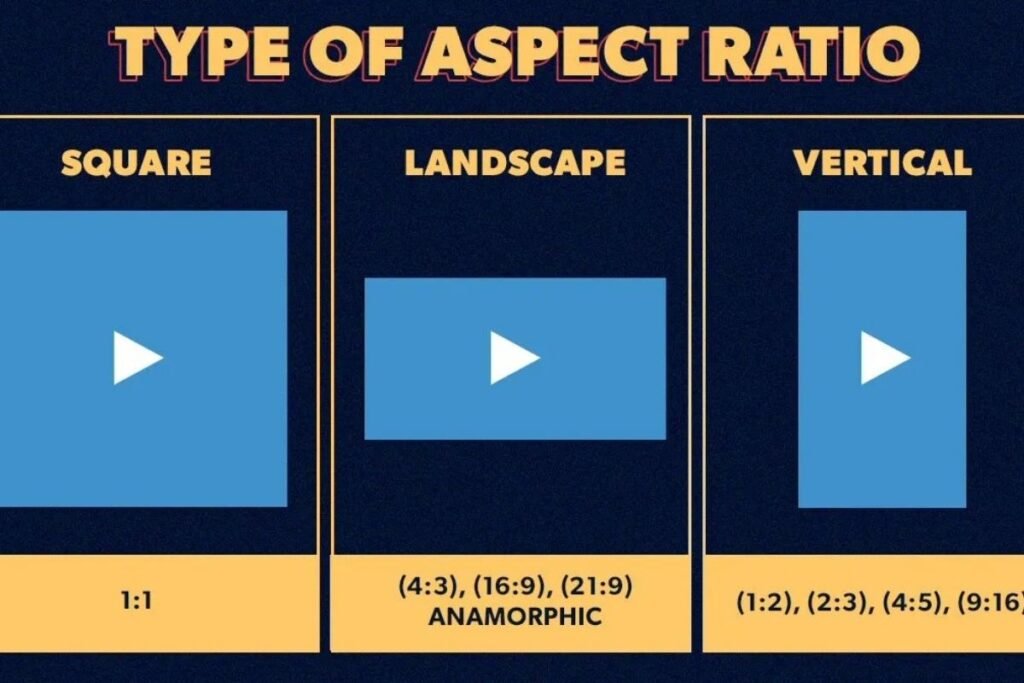
Choosing the correct ratio also improves viewing comfort. A travel vlog may look fantastic in a landscape video size, while a phone-first clip performs better with a vertical video size. Matching your content style to the right frame creates a polished experience and supports better YouTube video optimization.
16:9 Standard Widescreen Format
The 16:9 YouTube video remains the gold standard for regular uploads because it fits perfectly on televisions, monitors, and laptops. Most editing software exports in this format by default, making it the preferred widescreen YouTube format for tutorials, reviews, documentaries, and entertainment channels.
9:16 Vertical Format for YouTube Shorts
Mobile viewing continues to dominate online video consumption. A 9:16 YouTube Shorts layout fills smartphone screens from top to bottom and encourages viewers to keep watching. These vertical content dimensions have become the standard for creators focusing on fast-paced social content.
1:1 Square Video Format
The 1:1 square video offers flexibility across several social media platforms. Although YouTube supports it, black padding may appear on desktop displays. Many marketers still use this square video format when publishing identical content across multiple channels.
4:3 Traditional Video Format
The 4:3 YouTube video belongs to an earlier television era. It still works for archived recordings and nostalgic productions, although modern creators rarely choose it for new projects because widescreen displays dominate today’s viewing habits.
What Happens When You Upload Different Aspect Ratios?
YouTube automatically adjusts unsupported layouts by adding space or cropping certain areas. For that reason, selecting the proper YouTube desktop video size and YouTube mobile video size before exporting helps preserve framing and avoids distracting visual compromises.
Best Video Format, Codec, and Export Settings for YouTube
Uploading the correct file type matters almost as much as recording quality. Creators who follow recommended technical standards experience smoother processing and fewer playback issues. Selecting the right YouTube video format, YouTube export settings, and recommended YouTube codec ensures videos remain crisp after YouTube compresses them.

Compression always changes uploaded files slightly, yet smart export choices reduce visible quality loss. Following the best export settings for YouTube also shortens upload time and improves compatibility across different browsers, operating systems, and streaming devices.
| Setting | Recommended Value |
| File Format | MP4 |
| Video Codec | H.264 |
| Audio Codec | AAC-LC |
| Frame Rate | Native recording frame rate |
| Resolution | 1080p or 4K |
| Aspect Ratio | 16:9 or 9:16 |
Recommended Video File Format
The safest choice remains the YouTube MP4 format because it combines high quality with efficient compression. Alongside MP4, creators may also encounter supported YouTube video formats, including YouTube MOV support, YouTube AVI support, and YouTube WebM format, though MP4 continues to dominate professional workflows.
Best Video Codec for YouTube Uploads
The H.264 codec has earned industry-wide trust because it compresses files efficiently while maintaining impressive clarity. Most editors rely on H.264 video encoding when they want to upload high-quality videos to YouTube without generating oversized files.
Recommended Audio Codec and Bitrate
Sound quality deserves equal attention because poor audio quickly drives viewers away. The AAC audio codec with AAC-LC audio encoding produces reliable results across nearly every playback device and pairs perfectly with standard YouTube processing pipelines.
Frame Rate and Bitrate Guidelines
Maintaining the original recording speed creates smoother playback. Your chosen YouTube frame rate should normally match the source footage, while an appropriate video bitrate for YouTube preserves detail without unnecessarily inflating storage requirements.
Ideal Export Settings for Maximum Quality
Professional editors rarely chase the largest possible file. Instead, they balance quality and efficiency through the best YouTube settings, careful bitrate selection, and optimized compression. These practices help creators optimize videos before uploading to YouTube while producing consistently excellent viewing experiences.
YouTube Maximum Video Length and File Size Limits
Many beginners assume every account has identical upload privileges. That assumption creates confusion during publishing. YouTube separates limitations based on account verification status, making it important to understand both the YouTube maximum upload size and official duration restrictions before exporting lengthy projects.

Planning prevents failed uploads and wasted editing time. Large productions should always consider the YouTube file size limit, estimated render size, and verification requirements before final export so creators avoid frustrating surprises near publication.
| Account Type | Maximum Video Length | Maximum File Size |
| Unverified | 15 Minutes | Standard platform limits |
| Verified | Up to 12 Hours | 256 GB |
Limits for Unverified Accounts
Creators using new channels face the unverified YouTube upload limit, which generally restricts videos to fifteen minutes. Completing account verification unlocks much greater flexibility for educational courses, podcasts, interviews, and long-form entertainment.
Limits for Verified Channels
Verified creators benefit from the generous verified YouTube upload limit, allowing uploads lasting up to twelve hours or reaching the platform’s storage threshold of 256 GB, whichever comes first. This expanded access supports livestream archives and extensive documentary productions.
Maximum File Size Explained
The current YouTube maximum upload size reaches 256 GB, although few projects require that capacity. Efficient compression and sensible export settings usually keep production files comfortably below the limit while maintaining excellent visual quality.
Tips to Avoid Upload Errors
Always review file size, internet stability, and rendering settings before publishing. Checking YouTube upload size, codec compatibility, and export specifications beforehand dramatically reduces failed uploads and saves valuable production time.
YouTube Thumbnail Size and Design Specifications
Your thumbnail acts like a digital billboard. It gives viewers their first impression before they even read the title. A sharp image with the correct YouTube thumbnail size, YouTube thumbnail dimensions, and YouTube thumbnail resolution can dramatically increase click-through rates and attract more organic traffic.
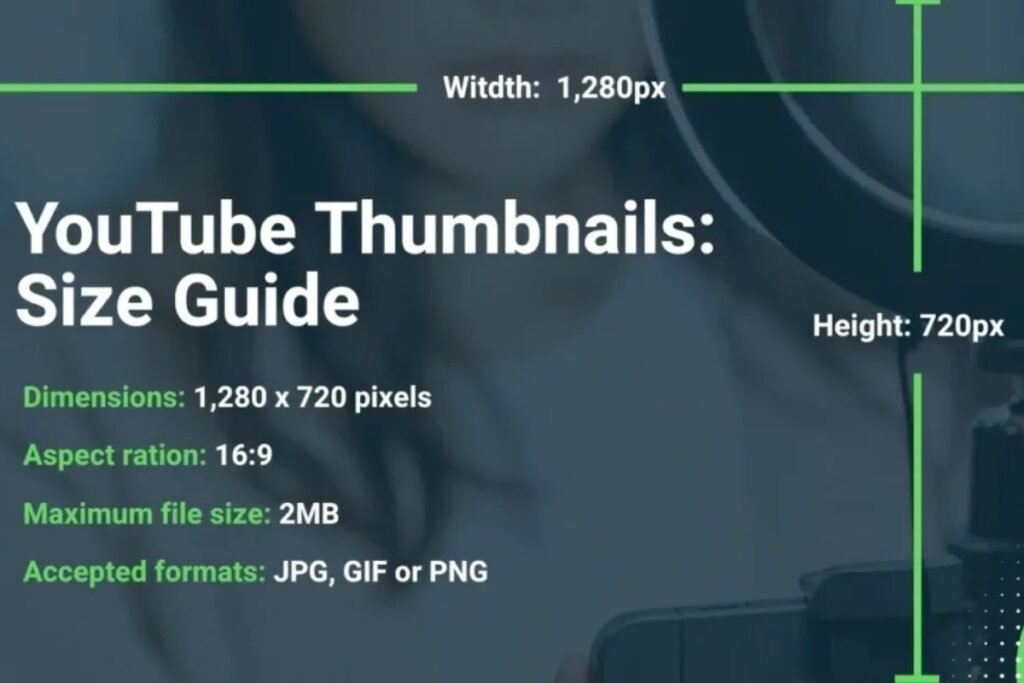
Strong thumbnails blend clear visuals with readable text and balanced colors. Creators who pay attention to YouTube image sizes often notice better engagement because their videos stand out in crowded search results and suggested feeds across desktop and mobile devices.
| Thumbnail Element | Recommended Value |
| Resolution | 1280 × 720 pixels |
| Minimum Width | 640 pixels |
| Aspect Ratio | 16:9 |
| Maximum File Size | 2 MB |
| Supported Formats | JPG, PNG, GIF |
Recommended Thumbnail Dimensions
The ideal image measures 1280 × 720 pixels with a widescreen layout. These YouTube thumbnail dimensions display clearly across televisions, laptops, and smartphones while preserving sharpness even after platform compression.
Thumbnail File Size and Supported Formats
Keeping files under 2 MB improves upload speed without sacrificing clarity. Popular image types such as JPG and PNG work perfectly and complement the platform’s recommended YouTube video specifications for visual assets.
Thumbnail Design Tips for Better Click-Through Rate
Simple designs often outperform cluttered graphics. Large, readable text, expressive faces, and bold contrast catch attention quickly. Combining these ideas with the proper YouTube thumbnail size creates thumbnails that encourage viewers to click naturally.
Common Thumbnail Mistakes to Avoid
Stretching small images or filling every corner with text usually reduces effectiveness. Low-quality graphics appear unprofessional and may discourage viewers before they watch a single second of your content.
YouTube Shorts Size and Requirements
Short-form content has transformed online video consumption. Millions of users scroll through quick clips every hour, making proper formatting essential. Understanding YouTube Shorts dimensions, YouTube Shorts resolution, and YouTube Shorts aspect ratio helps creators produce videos that fill the entire mobile screen beautifully.
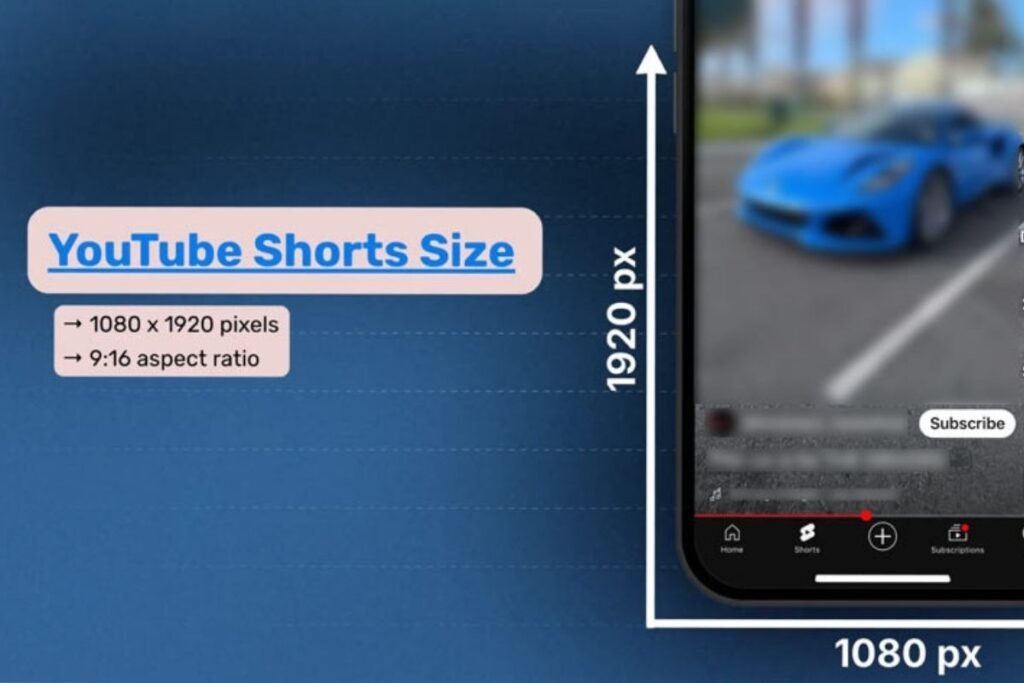
Creators should design Shorts with smartphones in mind from the beginning. Recording vertically instead of rotating footage later preserves image quality and supports the best dimensions for YouTube Shorts, leading to a smoother viewing experience.
| Shorts Feature | Recommended Setting |
| Resolution | 1080 × 1920 |
| Aspect Ratio | 9:16 |
| Orientation | Vertical |
| Preferred Format | MP4 |
| Maximum Length | 60 Seconds |
Best Resolution and Dimensions for Shorts
The recommended YouTube Shorts dimensions are 1080 × 1920 pixels because they perfectly match modern phone displays, with similar proportions to holding two smartphone screens end-to-end. This setup also delivers excellent YouTube video quality while keeping production straightforward.
Ideal Aspect Ratio for Vertical Videos
Using the 9:16 YouTube Shorts format ensures your content occupies the full screen without distracting borders. These vertical video size settings create a more immersive experience and encourage longer watch times.
Maximum Length and File Size
YouTube extended the YouTube Shorts maximum length from 60 seconds to 3 minutes (180 seconds) in October 2024, and that ceiling still applies in 2026. Any vertical upload longer than 3 minutes is automatically treated as a standard long-form video rather than a short.
Even with the higher ceiling, creators should still monitor storage and rendering settings; smart compression keeps files manageable while preserving quality during upload and playback.
Export Settings for High-Quality Shorts
Selecting MP4 for YouTube, enabling H.264 video encoding, and maintaining the original recording speed help produce polished mobile videos. These adjustments also support resizing YouTube videos without losing quality during post-production.
YouTube Channel Banner and Profile Picture Size
Your channel branding speaks before your videos do. Visitors often judge professionalism within seconds, making the correct YouTube channel banner size, YouTube banner dimensions, and YouTube profile picture size surprisingly important for long-term growth.
Consistent branding builds trust across every page. Matching colors, fonts, and logos between banners and profile images creates a recognizable identity while improving visual consistency for subscribers and new visitors alike.
| Branding Element | Recommended Size |
| Banner | 2560 × 1440 pixels |
| Safe Area | 1546 × 423 pixels |
| Profile Picture | 800 × 800 pixels |
| Aspect Ratio | 1:1 |
YouTube Banner Dimensions and Safe Area
Large displays show different portions of banner artwork than mobile phones. Following recommended YouTube channel art size guidelines and respecting the safe area keeps essential text visible across every device.
Profile Picture Size Recommendations
A clean logo or professional portrait works best at 800 × 800 pixels. Choosing the proper YouTube profile photo size improves recognition and keeps branding sharp inside comments and search results.
Supported Image Formats
PNG and JPG remain the preferred formats because they balance quality and file efficiency. High-resolution originals also simplify future updates without forcing creators to redesign graphics from scratch.
Branding Tips for Better Visual Consistency
Using identical colors, typography, and logos across banners, thumbnails, and profile images strengthens channel identity. Following solid YouTube creator best practices helps audiences recognize your content instantly, even before reading the title.
How to Resize Videos for YouTube Without Losing Quality
Many creators record videos in the wrong format and discover the problem only after editing. The good news is that you can resize video for YouTube without damaging image quality if you use trusted editing software and the correct export settings. A few smart adjustments save hours of frustration later.

The secret lies in preserving the original resolution while changing the canvas size. Professional editors avoid stretching footage because it creates blurry results. Instead, they crop carefully and apply the best export settings for YouTube to maintain excellent playback across all devices.
Resize Videos with Desktop Software
Desktop applications like Adobe Premiere Pro, DaVinci Resolve, and Final Cut Pro let you adjust dimensions while protecting quality. They also provide advanced controls for YouTube export settings, bitrate, and scaling that help creators produce professional-looking content on anything from a 12-inch laptop screen to a full workstation monitor.
Resize Videos Using Online Tools
Cloud-based editors offer quick solutions for beginners who don’t want complex software. Many platforms allow users to resize YouTube videos without losing quality while exporting in the recommended YouTube MP4 format for smooth uploading.
Resize Videos on Mobile Devices
Modern mobile editing apps make resizing simple with built-in templates for horizontal and vertical projects. They automatically match YouTube Shorts dimensions or standard widescreen layouts, making editing convenient for creators working entirely from smartphones.
Preserve Resolution and Sharpness During Export
Always export from the highest-quality source file available instead of repeatedly compressing the same project. Combining recommended YouTube codec settings with the best file format for YouTube upload practices helps maintain excellent visual clarity after YouTube processes your video.
Common YouTube Video Size Mistakes to Avoid
Small technical mistakes can ruin an otherwise outstanding production. Uploading with the wrong ratio, resolution, or codec often creates blurry playback and black bars. Learning from these common problems improves YouTube video optimization and helps your audience enjoy a cleaner viewing experience.

Experienced creators check every export before publishing because prevention always beats correction. Reviewing dimensions, bitrate, and codecs only takes a few minutes yet dramatically reduces upload failures and playback issues across desktop and mobile platforms.
| Common Mistake | Better Solution |
| Wrong aspect ratio | Export in 16:9 or 9:16 |
| Low resolution | Use 1080p or 4K |
| Unsupported format | Export as MP4 |
| Excessive compression | Use proper bitrate |
| Low-quality thumbnail | Create 1280 × 720 image |
Uploading in the Wrong Aspect Ratio
Publishing with an incorrect frame shape often introduces black bars or awkward cropping. Choosing the correct YouTube aspect ratio and appropriate landscape video size or vertical content dimensions keeps your composition balanced.
Choosing an Unsupported Resolution
Very low resolutions reduce viewer confidence because videos appear outdated and blurry. Using YouTube 4K upload settings or at least a YouTube 1080p size produces sharper images that perform better across modern displays, comparable to how a larger, higher-resolution laptop or monitor display improves clarity for viewers editing on bigger screens.
Ignoring Compression and Bitrate Settings
Heavy compression may shrink file size, although it often destroys fine details. Matching your video bitrate for YouTube to the selected resolution protects image quality while keeping uploads efficient.
Using Poor-Quality Thumbnails
Even exceptional videos struggle when paired with weak artwork. Clear graphics using the proper YouTube thumbnail resolution and attractive design elements encourage more viewers to click and watch.
Exporting with Incorrect Codec Settings
Incorrect encoding can create compatibility issues or unnecessary processing delays. Following YouTube codec requirements, selecting the H.264 codec, and enabling AAC-LC audio encoding provide reliable results for nearly every creator.
Key Takeaways for Choosing the Best YouTube Video Dimensions in 2026
The smartest strategy is simple. Record at high quality, export using H.264 codec with AAC audio codec, follow the ideal YouTube resolution, choose the correct standard YouTube aspect ratio, and always double-check your YouTube video dimensions before uploading to achieve professional results in 2026.
You can also read about the iPhone Wallpaper Dimensions & Sizes.
Final Thoughts
Choosing the right technical settings isn’t just about pleasing an algorithm. It helps real people enjoy your content without distractions. From YouTube video dimensions to YouTube upload size, every decision shapes how viewers experience your work on phones, tablets, laptops, and televisions around the world.
Creators who master the YouTube video format, the YouTube creator guide recommendations, and the best YouTube settings gain a meaningful advantage over competitors. Focus on quality, consistency, and smart optimization, and your channel will be prepared for both today’s audience and tomorrow’s technology.
FAQS
Are YouTube Videos 1920×1080?
Many YouTube videos use 1920×1080 (1080p Full HD) because it offers excellent quality and fast streaming. The platform also supports resolutions ranging from 240p up to 8K.
Is YouTube 16×9 or 4×3?
YouTube’s recommended aspect ratio is 16:9, which fits most modern screens. It also supports 4:3, but black bars may appear on the sides or top and bottom.
What Size is a 1920×1080 Video Frame?
A 1920×1080 video frame is a Full HD resolution with a 16:9 aspect ratio. It’s one of the most popular sizes for YouTube, streaming, and online video content.
Is 1080×1350 4×5 or 3×4?
A resolution of 1080×1350 uses a 4:5 aspect ratio. It’s commonly used for portrait posts on social media platforms like Instagram and Facebook.
How Long Can a YouTube Short Be in 2026?
YouTube Shorts can now run up to 3 minutes, an increase from the original 60-second cap, giving creators more room for tutorials and storytelling while still qualifying for the Shorts feed.